In-depth review
FOXWELL NT301 Review (2027)
In-depth review of the FOXWELL NT301: 2.8-inch color screen, live data graphing, one-click I/M readiness, and engine-only limits at a budget price.
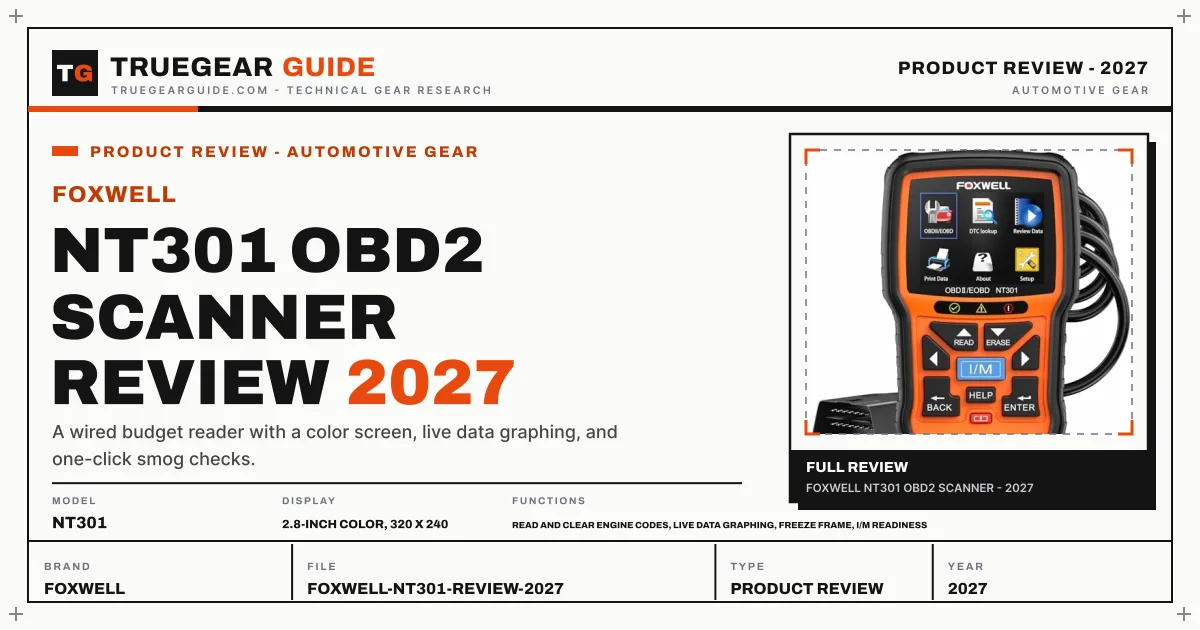

FOXWELL NT301 OBD2 Scanner
A wired budget reader with a color screen, live data graphing, and one-click smog checks.
Our verdict
The NT301 is the budget handheld for drivers who want to see data, not just codes. Its color screen graphs live sensor readings, a dedicated key runs the emissions readiness check, and code definitions live on the device, so no phone is ever involved. The ceiling is firm: engine codes only, and updates need a Windows PC. Inside that ceiling, it is one of the most complete cheap readers sold.
What we like
- 2.8-inch color screen with live data graphing, a step above basic code readers
- One-click I/M readiness with red, yellow, and green LED status for smog checks
- Code definitions live on the device, with a HELP button, so no phone lookup is needed
- Powered by the car's OBD2 port, so there is no battery to charge or replace
What to watch out for
- Engine codes only; no ABS, SRS, or transmission diagnostics
- Software updates require a Windows PC over USB; Mac and iOS are not supported
- Wired handheld with button menus, no Bluetooth or app reports
What owners report: FOXWELL NT301 OBD2 Scanner
Synthesized from recurring themes in long-term owner feedback.
Most praised
- The color screen and graphed live data make it feel a class above basic code readers
- The one-click readiness check settles the will-it-pass question before the inspection station
- No batteries and no app pairing means it just works every time it comes out of the glovebox
Common complaints
- Engine-only coverage disappoints owners who assumed it would read brake and airbag lights
- Mac households cannot run the update software without a Windows machine
- Button menus and a fixed cable feel dated next to phone-based scanners
Who it is for
DIY drivers maintaining OBD2-era cars who want live data and smog-check readiness from a standalone handheld.
A screen that earns its keep
Most budget readers show a code and little else. The NT301's 2.8-inch color display graphs live sensor data across more than 40 parameters, so a lazy oxygen sensor or a lying coolant sensor shows up as a trace, not just a number. Freeze frame data captures the conditions at the moment a code set, which is often the detail that separates a loose gas cap from a failing part.
Built around the smog check
A dedicated I/M key runs the emissions readiness test in one press, with red, yellow, and green LEDs and a built-in speaker giving the verdict before you reach the inspection station. Code definitions are stored on the device with a HELP button for guidance, so the whole diagnosis happens at the car with no signal, no app, and no account.
The honest limits
The NT301 reads and clears engine codes only. ABS, airbag, and transmission systems are invisible to it, which is the standing trade at this price. Software updates are free for life but travel over USB from a Windows PC; Mac and iOS are not supported. It draws power from the car's diagnostic port, so there is no battery to maintain, but also no way to use it away from the vehicle.
Key specifications
- Model
- NT301
- Display
- 2.8-inch color, 320 x 240
- Functions
- Read and clear engine codes, live data graphing, freeze frame, I/M readiness
- Power
- Vehicle 16-pin DLC, no batteries
- Updates
- Lifetime free via USB, Windows only
- Coverage
- US 1996+, EU 2000+, Asian 2008+ OBD2 vehicles
Also consider

The simplest reliable code reader.
Why consider it: Cheaper and simpler if you only need to read and clear engine codes.
- Codes: Engine (powertrain) read and clear
- I/M readiness: One-click smog check

A handheld code reader with a built-in code library and color screen.
Why consider it: Another budget handheld with a built-in DTC library and color screen, worth comparing feature for feature.
- Display: 2.4 in HD color LCD
- Functions: Full OBD2 modes, live data, freeze frame
Research-based assessment. TrueGear has not hands-on tested this product; this evaluation synthesizes manufacturer specifications, retailer documentation, and published expert reviews.
Questions, answered
Does the NT301 need batteries or charging?
No. It draws power from the vehicle's 16-pin diagnostic connector and is ready whenever the car is.
Can it check whether my car will pass a smog test?
Yes. The one-click I/M readiness function reports the emissions monitor status, with LED indicators summarizing readiness before you go to the inspection station.
Will it read ABS or airbag codes?
No. The NT301 covers engine and emissions codes only. ABS, airbag, and transmission diagnostics require a higher-tier scanner.
Every guide on OBD2 Scanners17 pages
- Topic hubOBD2 Scanners
- Best ofThe Best OBD2 Scanners (2027)
- DIY repairsThe Best OBD2 Scanners for DIY Repairs (2027)
- BluetoothThe Best Bluetooth OBD2 Scanners (2027)
- Budget picksThe Best Budget OBD2 Scanners (2027)
- ReviewBlueDriver Bluetooth Pro Review (2027)
- ReviewANCEL AD310 Review (2027)
- ReviewAutel MaxiAP AP200 Review (2027)
- ReviewOBDLink MX+ OBD2 Bluetooth Scanner Review (2027)
- ReviewVeepeak OBDCheck BLE+ Review (2027)
- ReviewTOPDON ArtiLink300 AL300 Review (2027)
- ReviewCarista OBD Bluetooth Adapter Review (2027)
- Head to headBlueDriver vs Autel MaxiAP AP200 (2027)
- Head to headANCEL AD310 vs Autel AutoLink AL319 (2027)
- Buying guideOBD2 Scanners Buying Guide (2027)
- Fix itOBD2 Scanner Not Connecting? Fix It (2027)