Buying guide
Photo Scanner Buying Guide (2027)
How to buy a photo scanner in 2027: optical resolution, flatbed against feeder against digitizer, film handling and dust removal, software and the workflow that finishes the box.
Resolution: optical, interpolated and what you actually need
Optical resolution is what the sensor captures, and interpolated resolution is software guessing extra pixels. The box prints the bigger number, which is usually the interpolated one. For prints shared online, 300 to 600 dpi optical is enough. For archiving prints you may reprint, scan at 1200 dpi. For film and slides, scan at 2400 dpi or higher, because a 35mm frame is small and the enlargement is large. The Epson flatbeds here offer 6400 dpi optical, the Canon LiDE models offer 4800 and 2400 dpi, and the feeders top out at 600 dpi, which is honest for prints and not enough for film. Buy the optical figure your largest enlargement needs, and ignore the interpolated number entirely.
Flatbed, feeder or digitizer: choosing the type
Flatbeds scan almost anything that lies flat: prints, film in holders, album pages, fragile originals and thick books with a high-rise lid. They place each original by hand, so they are slow at scale. Feeders scan stacks of loose prints fast and cannot touch film, bound books or fragile originals, because rollers pull the paper through. Film digitizers like the Kodak Slide N Scan photograph each frame onto a memory card with no computer at all, which is fast and simple, but the result is a photograph of film rather than a true scan. Document scanners like the ScanSnap iX1600 and imageFORMULA R40 handle photos as a side job, at 600 dpi through a feeder. For most households the honest order is: a flatbed first if the collection is mixed, a feeder first if the collection is a shoebox of loose prints, and a digitizer only when the whole job is slides.
Film handling and dust removal
Film needs two things a print scanner does not have: a transparency unit, which is a light in the lid that shines through the negative, and film holders that keep strips flat and aligned. Flatbeds without a transparency unit, like the Canon LiDE models here, cannot scan film at all. Dust removal is the second half: Digital ICE on the Epson flatbeds uses an infrared channel to map dust and scratches and remove them during the scan, which is why film scans from the V600 and V850 Pro look clean where other scanners show every mark. Software cleanup after the scan can help, but it guesses, and it cannot recover detail under a scratch. If film is the job, buy the transparency unit and the dust removal first, and the resolution second.
Software, file formats and where the scans go
The scanner is the easy half of an archiving project. The hard half is the workflow: auto-crop and deskew on feeders, file naming, where scans go, and what happens when the computer dies. Before buying, picture the whole job. The FF-680W auto-enhances faded prints and sends scans to a phone app. The iX1600 stores thirty scan profiles on a touchscreen. The Kodak needs nothing but an SD card. Save scans as TIFF or high-quality JPEG for archiving, keep the originals, and back the files up in two places, because a scan that exists in one place is a scan that can still be lost. The scanner that fits your desk, your computer and your patience is the one that finishes the box.
Speed, capacity and the real cost of a big archive
Speed figures belong to ideal conditions: the FastFoto's one photo per second is at 300 dpi, and higher resolutions slow it considerably. Flatbeds have no speed figure worth quoting, because every original is placed by hand. Capacity matters too: a 36-photo feeder against a single-sheet feed is the difference between loading a stack and standing beside the scanner. And the real cost of a big archive is time, not money: a thousand prints on a flatbed is a project measured in weekends, on a feeder it is an afternoon, and on a film digitizer it is an evening of feeding frames by hand. Buy the scanner that matches the size of the collection, not the size of the desk.
Start with our top 3
The three highest-ranked products in our full photo scanners ranking. Read the in-depth review where one exists, or jump to the product in the ranked list.
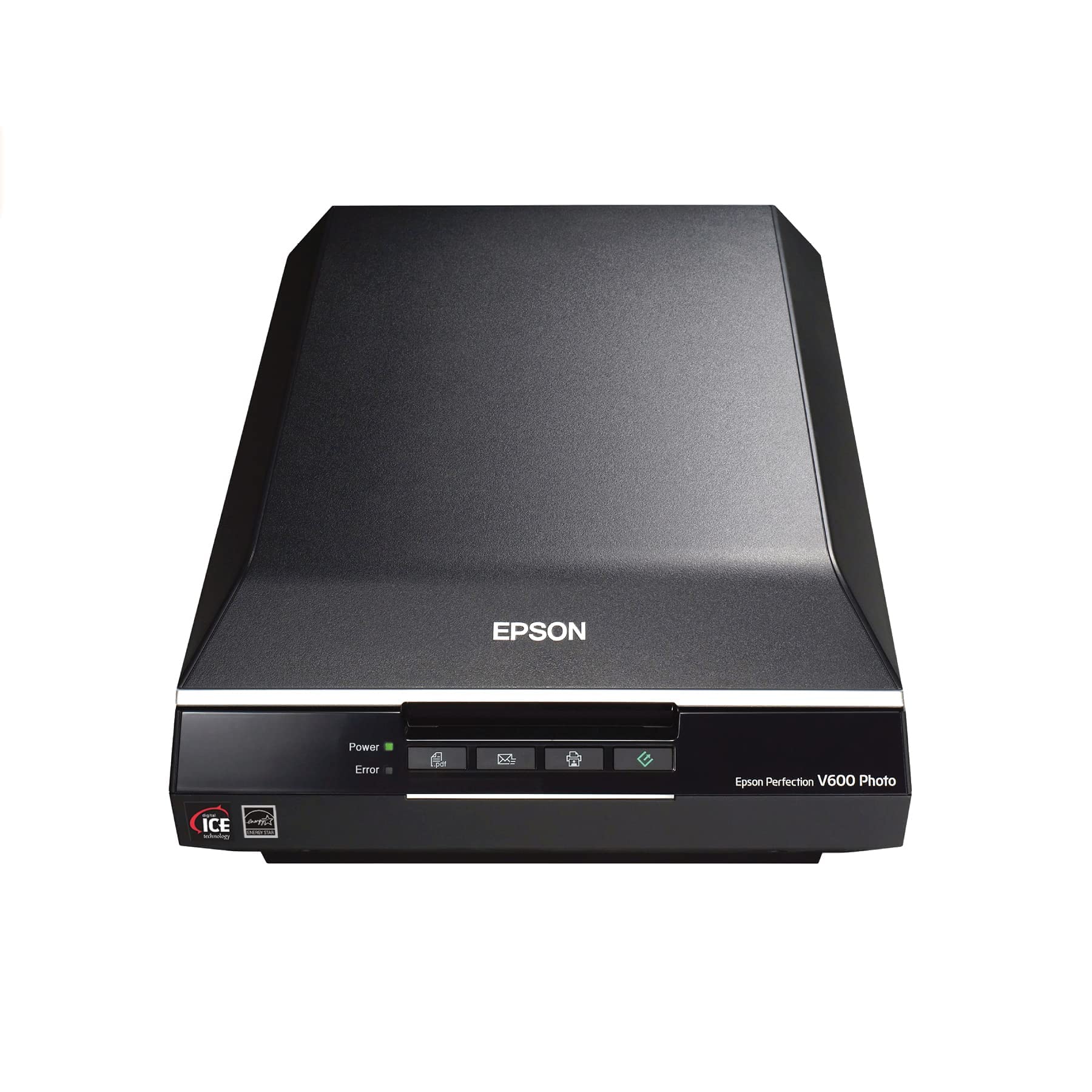
Epson Perfection V600 Photo Scanner
The classic flatbed for prints and film, with the resolution and dust removal that made it the default home photo scanner.
- Resolution: 6400 dpi optical resolution
- Type: Flatbed photo scanner

Epson Perfection V850 Pro Photo Scanner
A pro-grade flatbed for film archivists who want the finest detail and tonal range from every frame.
- Resolution: 6400 dpi optical resolution
- Optics: Dual-lens scanning system
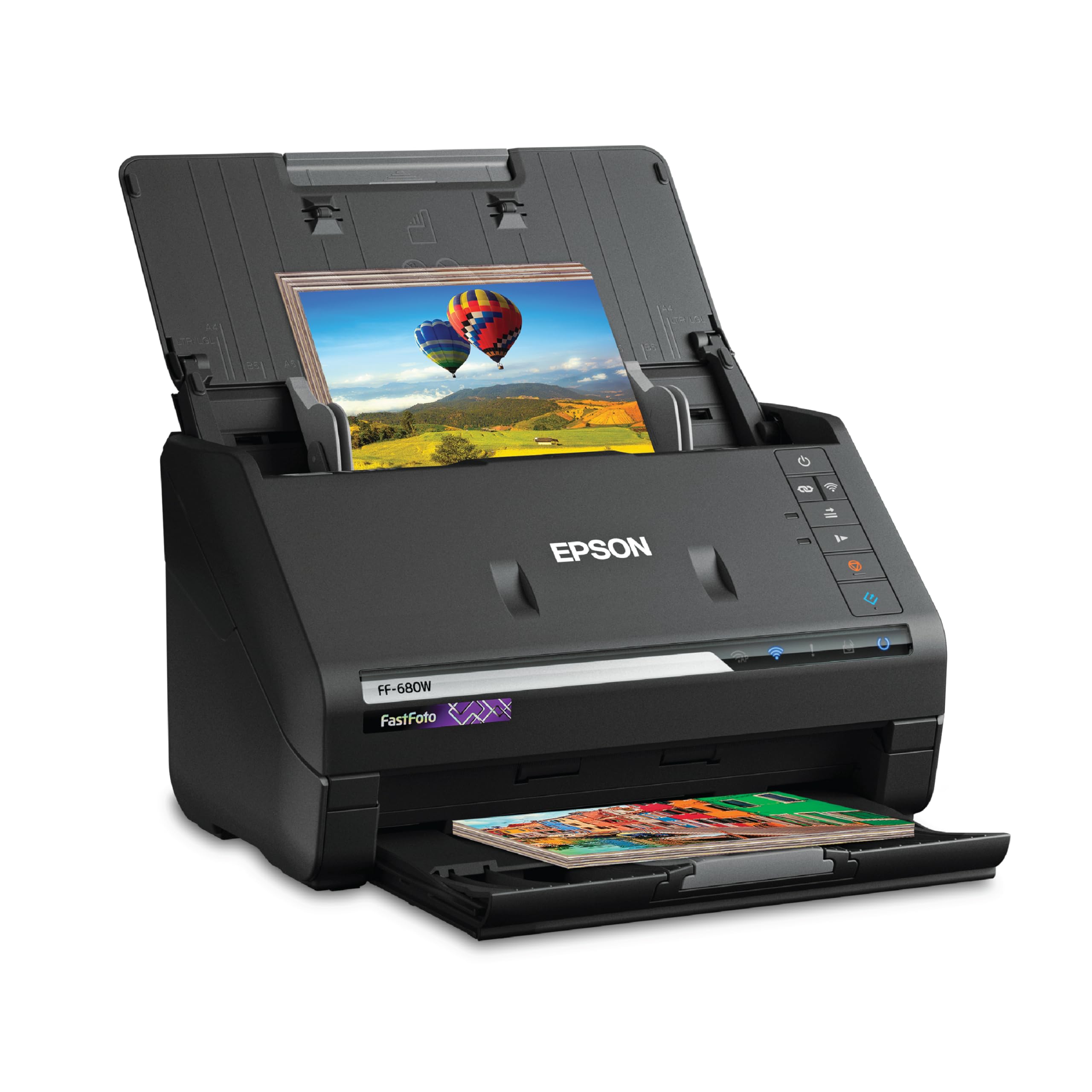
Epson FastFoto FF-680W Photo Scanner
The fastest way through a shoebox of prints, feeding photos one per second with automatic cleanup.
- Speed: 1 photo per second at 300 dpi
- Batch size: Up to 36 photos at a time
Questions, answered
How much should I spend on a photo scanner?
For a few dozen prints a year, a budget slim flatbed like the Canon LiDE 300 does the job honestly. For regular archiving, step up to the LiDE 400 or the Epson V39 II. For film, or for a whole family archive, the Epson Perfection V600 is the honest minimum, because no budget scanner here scans negatives. For a shoebox of loose prints, the FastFoto FF-680W earns its premium in hours saved.
What is the difference between optical and interpolated resolution?
Optical resolution is what the sensor actually captures, and interpolated resolution is software inventing extra pixels between the real ones. The box prints the bigger number, which is usually interpolated. Judge every scanner on its optical figure only: 600 dpi for sharing prints, 1200 dpi for archiving them, 2400 dpi and up for film.
Do I need a scanner with a transparency unit?
Yes, if you scan film or slides. A transparency unit is a light built into the scanner lid that shines through the negative so the sensor can read it. Flatbeds without one cannot scan film at all. The Epson V600, V550 and V850 Pro all have one; the Canon LiDE models do not.
How should I store my scanned photos?
Save the master scans as TIFF or high-quality JPEG, keep the file names consistent with dates and names where you know them, and back the files up in two places, such as an external drive and a cloud service. Keep the original prints and negatives too, stored flat and dry, because a scan is a copy and the original is still the best source.
Every guide on Photo Scanners15 pages
- Topic hubPhoto Scanners
- Best ofThe Best Scanners for Photos (2027)
- Old photos are three different jobs wearing one name. Loose prints in a shoebox want a feeder, because a flatbed places each one by hand and a thousand prints at one minute each is a lost weekend. Fragile prints, prints glued into albums and oversized originals want a flatbed, because a feeder roller will damage them. And slides and negatives want film handling with dust removal, because a print scanner cannot see through film at all. This ranking weights the job first and the scanner second, so the feeder leads for loose prints, the flatbed leads for fragile ones, and the film tools rank on dust removal rather than speed.The Best Scanners for Old Photos (2027)
- A flatbed is the only scanner that takes almost anything: prints, film in holders, pages from a bound album, a fragile print that would never survive a roller, an object too thick for a feeder. This ranking weights the glass first: optical resolution for the detail, a transparency unit for film, dust removal for old negatives, and a lid that rises for thick originals. Feeders appear at the bottom only as honest alternatives, for buyers who came looking for a flatbed and actually need speed more than they need the glass.The Best Flatbed Photo Scanners (2027)
- Budget here means value per scan, not the cheapest scanner in the drawer. A scanner that costs very little and cannot scan your film, or that scans so slowly you never finish the box, is not a bargain. This ranking weights honest performance on everyday prints above everything else, and it rewards scanners that do one job well over scanners that promise everything. The premium entries appear because they are the stretch worth making when the job is film or a thousand prints, not because a first-time buyer should buy them for one album.The Best Budget Photo Scanners (2027)
- ReviewEpson Perfection V600 Photo Scanner Review (2027)
- ReviewEpson Perfection V850 Pro Photo Scanner Review (2027)
- ReviewEpson FastFoto FF-680W Photo Scanner Review (2027)
- ReviewEpson Perfection V550 Photo Scanner Review (2027)
- ReviewPlustek ePhoto Z300 Photo Scanner Review (2027)
- ReviewCanon CanoScan LiDE 400 Slim Scanner Review (2027)
- Head to headEpson Perfection V600 Photo Scanner vs Epson Perfection V850 Pro Photo Scanner (2027)
- Head to headEpson FastFoto FF-680W Photo Scanner vs Plustek ePhoto Z300 Photo Scanner (2027)
- Fix itPhoto Scanner Giving Blurry or Streaked Scans? Fixes (2027)